
Features
Everything between the lead and the last check
Pricing, proposals, signatures, deposits, change orders, invoices and close-out, in one app that runs on your own numbers.
Free for 14 days, no card needed · then $49.99/mo or $599 once · Works on Android, iPhone and iPad, Windows, Mac, Linux and any browser

Multi-trade projects
One customer, several trades, one proposal and a real schedule
Start a project, add the trades, and price each one in its own steps. Rooms you've already measured carry over to the next trade.
- One proposal: Good, Better and Best for every scope, a project total, and one page to sign
- No double charges: scopes after the first are priced as add-ons, so mobilization and overhead aren't charged twice
- A schedule that looks like real life: trades in working order, drying and cure time between them, weekends and major holidays skipped
- Crew-aware: set up your crews and subs once; a crew works one scope at a time
- Easy overrides: change any start date, length or crew in a tap, or reset to the automatic schedule
- Crew calendar: every crew's week across all your jobs, with double bookings in red. Change a start date or crew right there, text each crew their week, and text the customer a reminder or "on my way"
- Project job pack: master schedule and crew hand-offs, then each scope's own pack with its dates
Fast quotes & templates
A priced proposal in two minutes, from a template
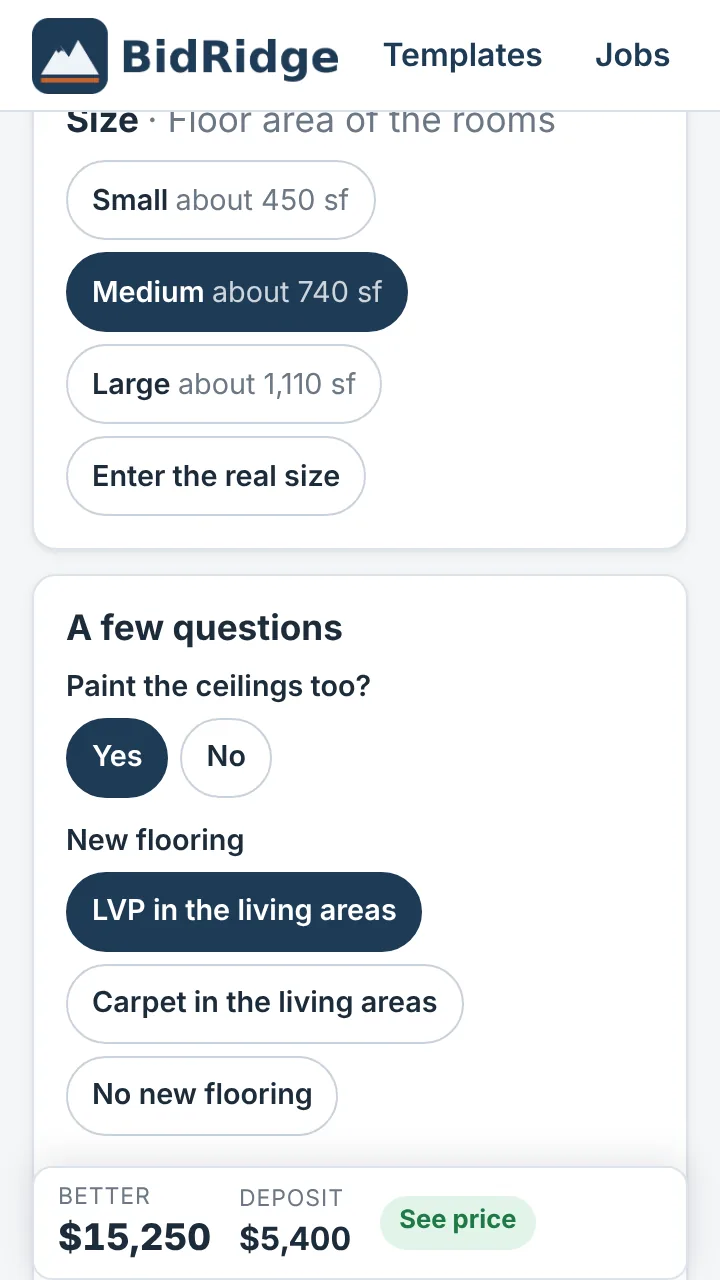
Not every job needs a full walk-through. Pick the kind of job, tap a size, answer three to six questions, and the Good, Better and Best prices are ready to send.
- 39 ready-made templates: cabinet painting, backsplash and counters, full kitchens, pre-listing refreshes, inspection repairs, move-outs, make-readies, water damage, basements, curb appeal, punch lists and aging-in-place, plus quick quotes for a re-roof, a re-side, a patio, a driveway, decks and fences, EIFS re-clads and re-coats, countertops, ceilings, insulation and air sealing, epoxy garage and shop floors, and window and door replacement
- Small, medium, large or the real size. Rooms and quantities scale to match
- Templates hold the scope, never the prices. Every quote is priced from your current rates, so a template saved last year doesn't send last year's prices
- Save your own: any estimate or multi-trade project becomes a template in one tap. It syncs to every device on your license, and you can export it for a crew lead or another company
- Quick quotes for task lists: punch lists, repairs and handyman visits priced from a task library of about 75 jobs (patch a hole, swap a faucet, re-key a lock) plus your own lines, with one price or Good, Better and Best
- Open the full estimate any time: nothing you entered is lost
Seventeen designers, new: Masonry, Glazing, Low-Slope Roofing and Division 10
Draw the job, then price it.
Tap Design it on the job. In the Android app and the Windows, Mac and Linux apps the designer opens right inside the job and works with no signal; on an iPhone or in a browser it opens in a new tab, signed in. Draw the job and it counts the cuts, miters, seams, panels, slabs, studs, bars or block, checks the layout, prints a drawing set with your title block (seven of them add typical construction details from the job's own numbers) and sends the quantities and the extra labor back to the quote. Change the design later and the job updates (a sold job gets a change order instead). The time you spend drawing can go on a design agreement.
Tile Designer
Tub surrounds, showers and floors, wall by wall. Patterns wrap around the corners; sheet mosaics and sloped shower floors are counted.
From: Tile and bathroom jobs · Open it
Flooring Designer
LVP, VCT, LVT, carpet and sheet goods room by room, with the seams, flash cove, corner templates and rubber base counted.
From: Flooring jobs · Open it
Roofing & Siding Designer
One house drawing for both: squares, edges and the ice barrier, metal panel layouts and cut lists with trims matched to the rib, furring plans, and Siding mode for each wall's elevation, openings and siding or EIFS sections, and a flashing schedule.
From: Roofing, siding and EIFS jobs · Open it
Concrete Designer
Slabs, drives, walks, footings, walls and steps: control joints, grades, a rebar bar list, pours and the ready-mix order, frost-protected footings and radiant PEX.
From: Concrete jobs · Open it
Deck & Fence Designer
Pressure-treated, composite and PVC decks, stairs with landings, railings and fences, with the framing, footings and blocking worked out.
From: Deck and fence jobs · Open it
Cabinet Designer
Frameless kitchens and built-ins, islands and corner cabinets, NKBA planning checks, cut lists and the countertop takeoff, CNC files (DXF, plus G-code and ShopBot files), and the tops sent to the Countertop Designer.
From: Finish carpentry jobs (with the Finish Carpentry Designer) · Open it
Hardscape & Landscape Designer
Paver patios, walks and drives, seat and retaining walls, steps and beds on a site plan, with the base and block counted.
From: Hardscape and landscape jobs · Open it
Ceiling Designer
ACT grids, T&G and plank wood, drywall on grid or black iron and linear ceilings on a reflected ceiling plan, with the lights, seismic bracing and cut lists.
From: Ceilings jobs · Open it
Countertop Designer
Kitchens, islands, sills and vanities nested on your slab sizes: seams off the sink and dishwasher, waterfalls, sills from the offcuts and CNC files (DXF, plus G-code and ShopBot files for common routers), from new cabinets, existing cabinets or your own templates.
From: Countertops jobs · Open it
Finish Carpentry Designer
Rooms, walls and stairs: trim packages, board and batten, wainscot, shiplap and beadboard, and stair trim with the skirt notches and the miter and bevel for every joint. A cut list with the copes and miters counted.
From: Finish carpentry jobs (with the Cabinet Designer) · Open it
Rough Carpentry Designer
Sheds, garages, additions and ADUs framed stud by stud: joists, headers and rafters from the code tables you pick, trusses with the maker's drawings, sheathing and the lumber list. It sends the insulation too. On a Commercial project: steel stud partitions by room, with the buy list and cut list.
From: Rough carpentry and Insulation jobs · Open it
Masonry Designer
Brick veneer, CMU, cavity walls, stone and glass block drawn on coursed elevations, counted and checked as you draw.
From: Masonry jobs · Open it
Glazing Designer
Storefront, entrances, curtain wall, windows and doors drawn on elevations and checked as you draw, with the glass order list and the Submittal set. Commercial.
From: Glazing jobs (Commercial) · Open it
Low-Slope Roofing Designer
Commercial low-slope roofs: the tapered insulation laid out to the drains, the membrane attached by wind zone and the sheet metal, checked as you draw.
From: Roofing jobs (Commercial) · Open it
Room Designer
Kitchens and bathrooms laid out by dragging the fixtures, cabinets and island along the walls, with the clearances, rough-in and selections, then on to the Tile, Cabinet and Countertop Designers.
From: Bathroom remodel and kitchen jobs · Open it
Metal Stud & Drywall Designer
Steel stud partitions from the partition schedule, soffits of any shape, shaft walls, backing and exterior steel walls, framed stud by stud and checked as you draw.
From: Carpentry and drywall jobs (partition drawings with Commercial) · Open it
Division 10 Designer
Toilet compartments, showers and accessories, checked against the codes you turn on, with the blocking plan for the GC and the Submittal set. Commercial.
From: Division 10 jobs (Commercial) · Open it
Free to draw in any browser; saving, the drawing sets and lists, and sending to a quote come with a license or the 14-day trial. The designers are in beta. They're layout and estimating tools, not engineered designs: code numbers are defaults to verify with your building department. Metal panel presets use a panel maker's catalog profile names (confirm with your supplier), and the CNC export names the machines and shop software it writes files for. Brand names are trademarks of their owners; BidRidge isn't affiliated with or endorsed by them.
Send, sign and pay
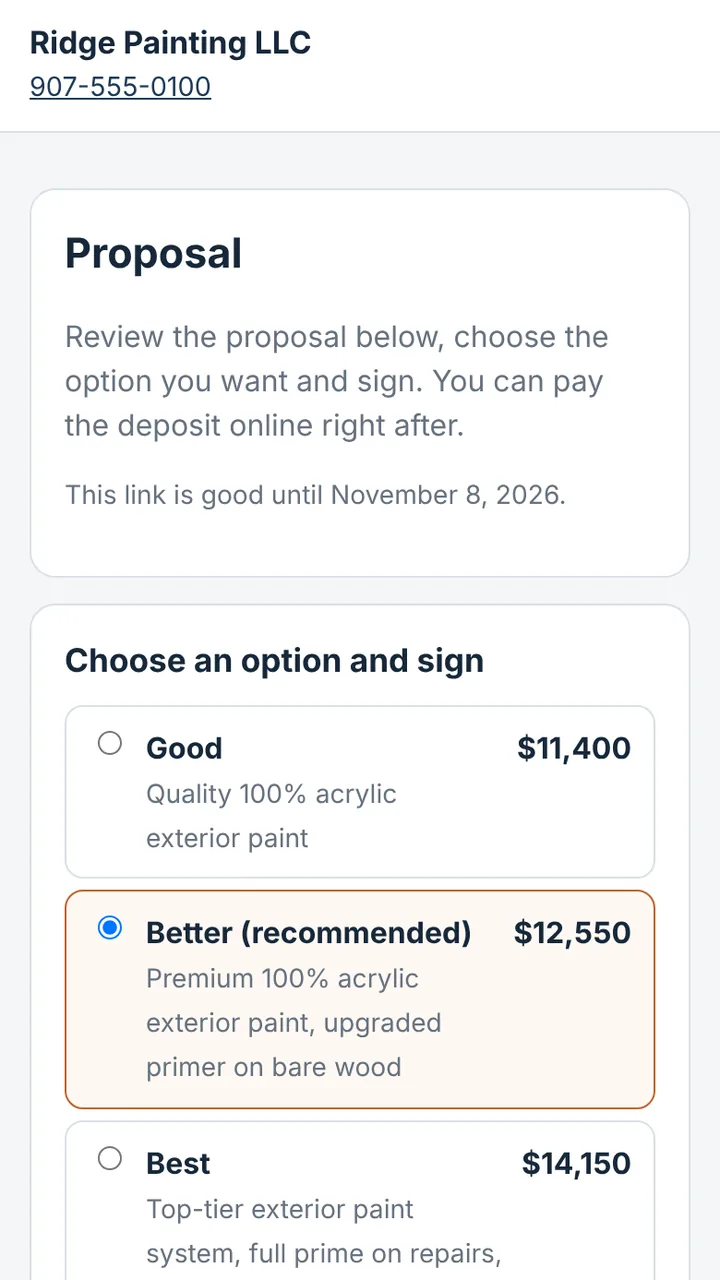
Text the proposal. Get it signed and the deposit paid before you're out of the driveway.
Tap Send on a proposal, change order, walk-through form or invoice. BidRidge opens your phone's Messages with a link ready to go.
- Your customer opens it on any phone, no app or account: your logo, the full proposal and their Good, Better and Best options
- They pick an option and sign with a finger. The job turns to Sold with the option they chose, and change orders turn to Approved
- They pay the deposit or invoice right there by card or bank transfer, into your own Stripe account. The invoice marks itself paid
- Pay now, on the spot: finishing up at the house? Show the code on your screen, the customer scans it with their phone and pays before you pack up
- A signed PDF for both of you, with the time, a fingerprint of the exact document and a signed receipt, following the US ESIGN Act
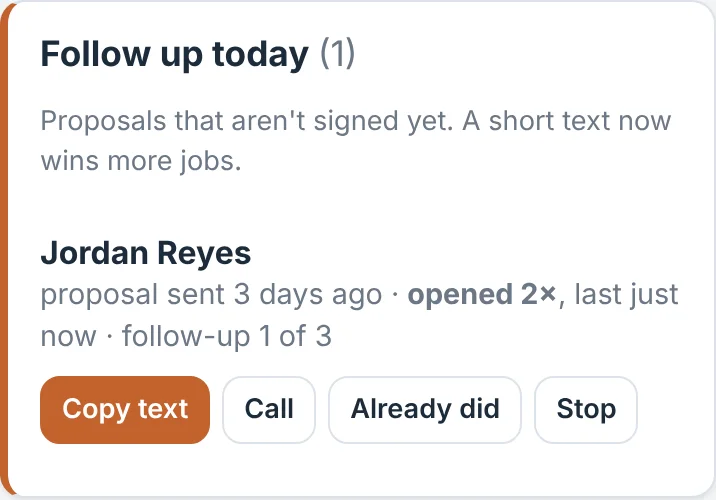
- Know the moment they look: "Jordan just opened your proposal. Good time to call!" Opened, signed and paid show up on your home screen
- Change the price after sending? BidRidge tells you, and sending again cancels the old link
- Optional 3-day right-to-cancel notice for sales made at the customer's home
Payments use Stripe; money goes straight to your Stripe account and Stripe's standard fees apply (card 2.9% + 30¢, bank transfer 0.8% up to $5). BidRidge takes no cut. Documents are encrypted on your phone; we can't read them. Texting uses your own phone, so there's nothing extra to pay.
New: customer portal
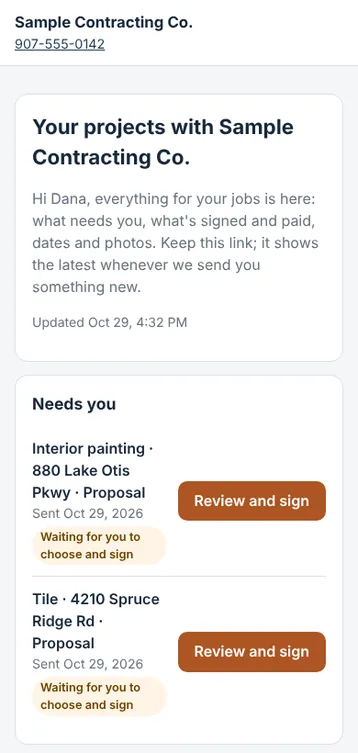
One link per customer, for every job you do for them.
No more digging through old texts for last month's proposal. Your customer keeps one page, and it updates itself.
- What needs them first: anything waiting to be signed or paid sits at the top, with one button to do it
- Everything else in order: proposals, change orders, selections and invoices, each showing whether it's signed or paid
- All of their jobs: a repeat customer's bathroom and kitchen on the same page. You pick which jobs go on it; a different customer with the same name is never added
- Start dates and photos you chose to share
- Encrypted on your phone like everything you send. Turn the link off any time
New: job photos
Before, during and after, right on the job.
Take photos from the job in BidRidge, add a caption and the room, and pick where each one goes.
- In the Job Pack, two to a row with captions, so the crew sees the damage you found and what you promised
- On the proposal or a change order when a photo makes the case: the rot behind the vanity, the cracked slab
- Sent with the link when you send it, encrypted, and gone when the link expires. Your customer sees them as a photo grid with your captions, on the document or their portal
- On every device: with sync on, photos go to your other devices, encrypted with your passphrase. They show a preview at once and download the full photo when you open it, with 10 GB of photo storage per license
- Download all as a zip with a captions list, for your records or an insurance claim
- Made small on your phone (about 250 KB each), and on Android also saved to a BidRidge album
New: design agreements
Get paid for the design, not just the job.
- Flat fee due at signing, or hourly with a cap and an optional retainer
- The customer signs and pays by link, and it sits on their customer portal
- Credit it toward the job if they sign the contract within the days you set
- The designers count the time you actually spend drawing; you check the hours before a design invoice goes out. Nothing is billed automatically
New: sub work orders
Sell the job, sub the work, keep the margin in sight.
- A work order from the sold job: scope and price, start date, the drawings and the photos you pick
- The sub accepts at your price or sends back theirs, with a note, and signs by link
- Agreed price against the estimated labor, payments made and a lien waiver tick for each payment
- Your subs list flags insurance that's about to expire
New: purchase orders
From the shopping list to the supplier in one tap.
- A PO from everything on the Job Pack shopping list you haven't bought yet, designer buy lists included
- Delivery date and address, notes, your account number
- Send it as a PDF, an email, or a link the supplier confirms with a delivery note
- Mark it delivered or short and enter what it really cost: it goes to the job's actual materials
Win more of the jobs you bid
BidRidge doesn't just write the bid. It helps you win it.
Most bids that are never signed simply weren't followed up. BidRidge follows up for you.
- Opened alerts: the moment a customer opens your proposal, you know, so you can call while they're looking at your price. Phone or computer notifications if you want them
- Follow-ups sent for you: turn it on once and BidRidge emails each customer a friendly follow-up 2, 5 and 10 days after you send (your days, your words), from your company name. It stops the moment they sign
- Invoice reminders: a reminder the day before an invoice is due, then on the days you choose, until it's paid
- Review requests: when a job is paid in full, BidRidge emails your Google review link while they're happy. More reviews, more leads
- Rather send them yourself? Unsigned proposals show up on your home screen with whether they opened it, and one tap texts the follow-up from your own phone
- Replies come straight to your email, and every reminder has a link for the customer to stop them
Change-order wizard
Price extra work at the right margin, and get it signed
Hidden rot, an added room, a different finish: the Change orders step walks you through it in four short screens.
- Add to the original scope or start a new one, even in a different trade
- Pick items from any trade's rate book or type your own hours and materials
- Set pricing for this change only: crew wage, payroll burden, difficulty, material and sub markups, overhead, profit, a processing fee and a minimum, or type the price yourself
- See cost, overhead, profit and gross margin before you send it
- Text it to sign or save a PDF that shows the new contract total and any added days
- Mark it approved and invoice it in one tap. Only approved changes count toward the contract

Invoicing and milestone billing
Milestones that match the work
- Connected to QuickBooks Online: customers, invoices and payments go over by themselves, with your invoice numbers and a service item for each trade, so your books match your jobs
- Choose deposit and balance or milestones on each proposal
- A ready-made payment schedule for each trade, which you can rename, re-split and save as your default
- The first payment always covers materials
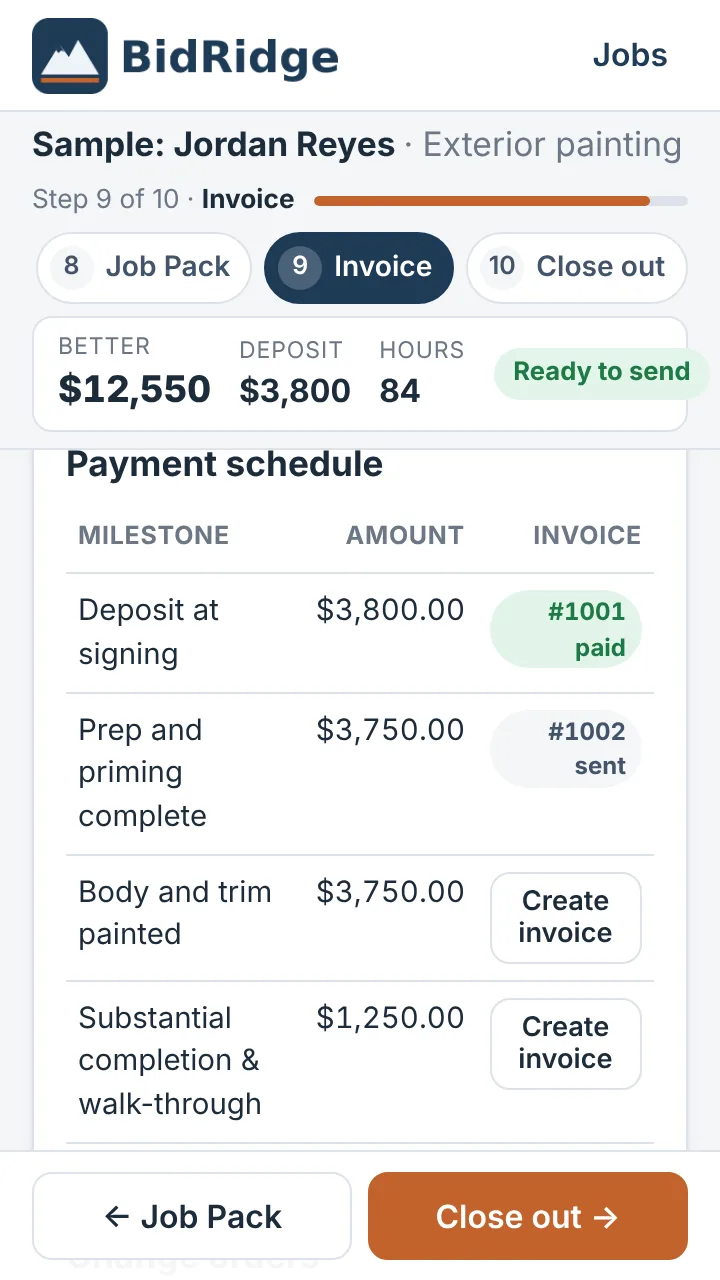
- The schedule prints on the proposal and becomes your invoice list, one tap per invoice
- Text an invoice and get paid online by card or bank transfer, or mark payments by check; unpaid and overdue invoices sit on your home screen
- Job account shows contract, approved change orders, tax, invoiced, paid and balance
Walk-through forms
Disputes settled before they start
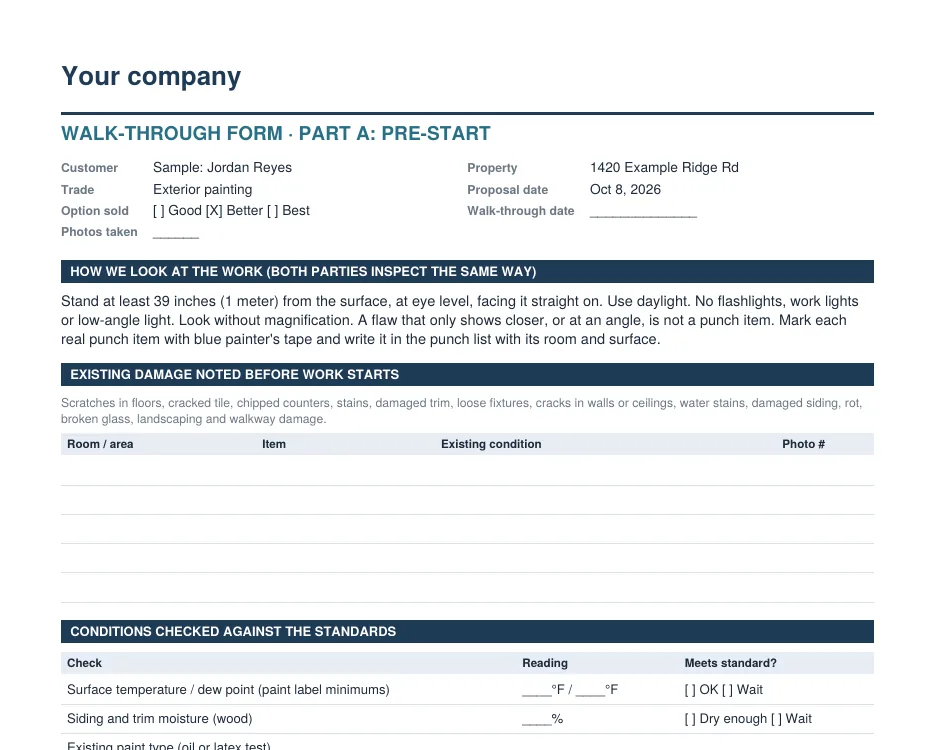
- Part A, before work starts: existing damage with photo numbers, checks against the standards (ANSI tile flatness, NWFA moisture, dew point, pre-1978 lead) and a ready-to-start list
- Part B, at the end: a checklist for the trade, a punch list with the cost to fix each item, and a signed final payment amount
- Both of you inspect the same way: from 39 inches, in normal light
- Attach Part A to every proposal automatically, including one form for a whole project
Encrypted sync
The same jobs on your phone, your truck tablet and the office PC
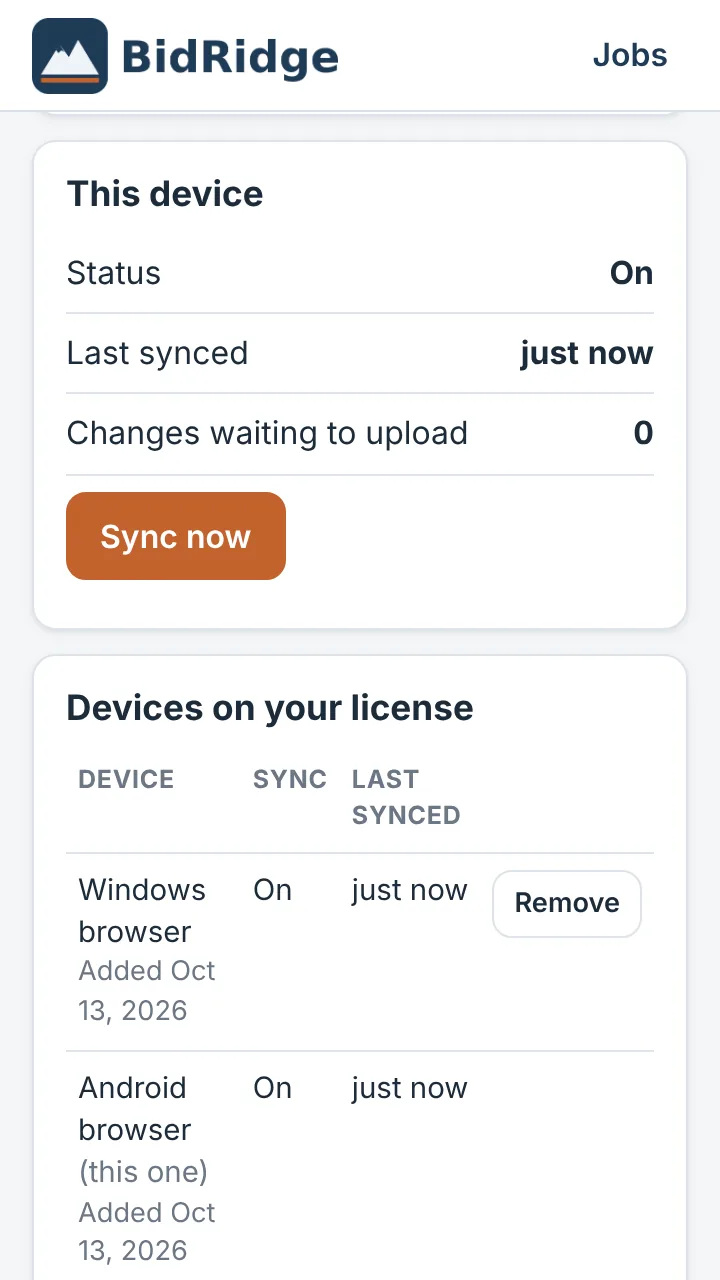
- Every device on your license stays in step: jobs, multi-scope projects, and company settings like rates, crews and your logo
- Locked before it leaves your device. Jobs are encrypted with a passphrase only your company knows, so we can't read your customers' information
- Works offline. Bid in a basement with no signal; it syncs when you're back online
- Nothing gets overwritten. If a job is changed on two devices before they sync, you keep both versions
- Cleared the browser or lost a phone? Sign in on the new one, enter your passphrase, and every job comes back
- Job photos too: photos and files over 1 MB go through your license's photo storage (10 GB), encrypted the same way
- Remove a lost device from your license in one tap
Sync is included with every license. Keep your passphrase safe: we can't recover it, though the jobs on your devices are never affected.
CSV export
Your data, in the spreadsheet or CRM you already use
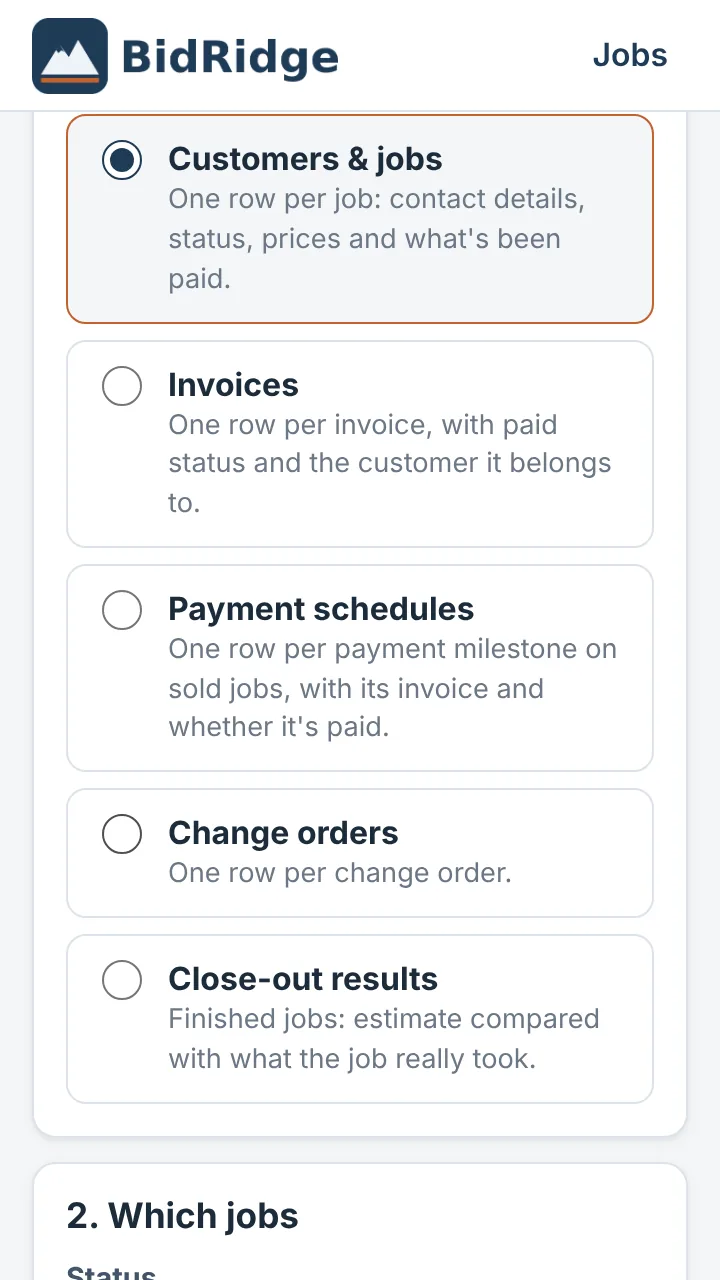
- Pick what to export: customers and jobs, invoices, payment schedules, change orders or close-out results
- Filter by status, trade and date, and choose the columns
- Preview the first rows before you download
- Opens in Excel or Google Sheets and imports into most CRMs, such as HubSpot, Jobber, Housecall Pro and Pipedrive
Read this before you bid
It runs on your numbers. That's the point.
No app knows what your crew earns, how fast they cut in, what you pay for paint or what you need to clear on a job. A national price list can bid you into jobs that lose money, or out of jobs you should win. BidRidge does the math. You supply the numbers.
The built-in prices are starting points, not your prices. When you pick your state and city, BidRidge loads regional starting rates for wages and materials, and paint schedules come with gallon prices filled in, so a quick estimate is in the right range and never leaves materials at $0. Before you send a real bid, replace them with your own. Every price is a guide you check before it goes out.
Get your numbers in, then fine-tune them
- Setup, about 10 minutes. Your logo, location, sales tax, trades, crews, wages and target margin.
- Calibrate, about an hour. Re-price 2 or 3 jobs you've already bid or built. Where BidRidge comes out different, adjust the production rate or material price that's off, not the final number.
- Tune as you go. Close out finished jobs with real hours and costs. Your Track record shows where you run over or under and suggests changes you apply with one tap.
Settings → Code tables sets the code edition, local amendments (Anchorage or Mat-Su), climate zone, snow load and lumber species the Rough Carpentry Designer sizes from, and the code R-values the Insulation trade prices. They're defaults to verify with your building department.
What you set (all editable, for every trade)
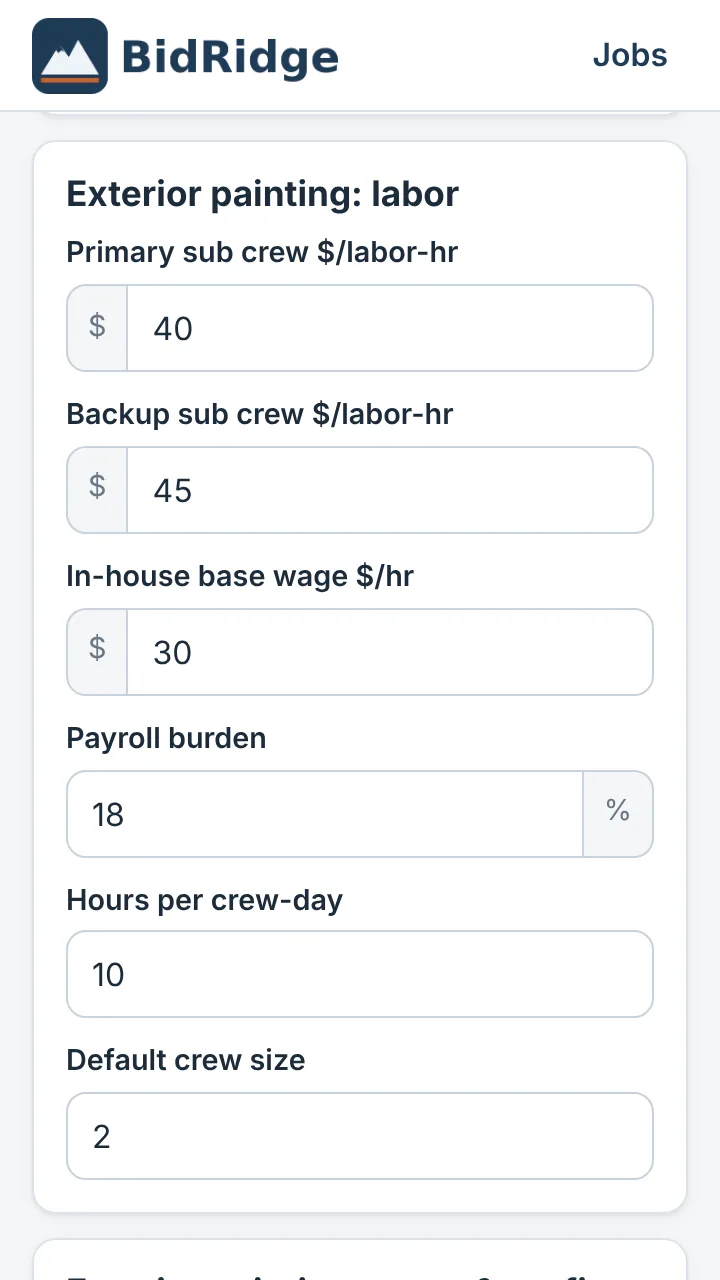
- Labor: crew wage or sub rate, payroll burden, crew size, hours per day
- Wages per job (1.51): residential or commercial, at open shop, commercial open shop, your union rate sheets, Davis-Bacon or Alaska Pamphlet 600 prevailing wage, or a crew rate of your own, with project management, submittal and insurance & bond lines on commercial jobs. You check the rates against your contract.
- Production rates: hours per square foot, linear foot or each, task by task
- Materials: your supplier prices, paint by the gallon, coverage and waste
- Profit: overhead, target margin and the walk-away price you won't go below
- Conditions: prep level, access, height, occupied homes and more, each with its own multiplier
- Specialty items: rates for leveler, mud beds, finish levels, beams, cabinets, stairs and more
- Crews and scheduling: who does which trade, waits between trades, holidays
- Change orders: starting markups, overhead, profit and fees
- Tiers: what Good, Better and Best include and their warranties
- Money terms: sales tax, deposit %, payment milestones and invoice terms
And the rest
Built to win jobs and protect your margin
Estimates that protect your margin
Good, Better and Best on one page, priced from your rates. A walk-away price and margin check flag a bid before it loses you money. Sales tax is figured by state.
Starting rates for your area
Pick your state and city and BidRidge adjusts its starting wages and material costs for the region, so your first estimates land in a sensible range while you enter your own.
Job packs your crew can run
A crew Job Pack with the schedule, phases, materials and checklists for every trade, and a project pack with the master schedule and crew hand-offs.
Leads, a request page and an instant price page
Pull leads from Angi, HomeAdvisor, Thumbtack, Yelp, Facebook, Google and your website into one list, and see which sources actually sell. Your own request page, for any trade, lets customers ask for a walk-through and drops each request in as a lead. For painting, a free price page shows homeowners a real range. Try the homeowner demo.
Sharper every job
Close out finished jobs with real hours and costs. Estimate-vs-actual on every job keeps your rates honest, and the Track record suggests changes you apply with one tap.
Works anywhere, and your data stays yours
It works with no signal in a basement or a crawlspace. Jobs live on your devices; turn on sync and they're encrypted before they leave, so only your company can read them. Back up or export any time.