
Estimating software for contractors
Bid it right. Bid it fast. Get paid.
Price jobs from your own numbers, draw them to scale and send a proposal your customer signs and pays from a text. BidRidge follows up and sends the invoice reminders for you, then keeps the crew's time, schedule and paperwork in the same app.
14 days free, no card. Android, iPhone, Windows and Mac. Watch the feature videos


Built for two kinds of contractors

Residential contractors
Remodelers, painters, roofers, deck builders and handymen. Quote from templates, offer Good, Better and Best, and collect the deposit before you leave the driveway. Follow-ups, invoice reminders and review requests go out by themselves.
From $49.99 a monthFor residential work

Commercial subcontractors
Subs who bid to general contractors. Shop drawings and submittal sets, prevailing-wage pricing, certified payroll, daily logs and pay requests.
From $99 a monthFor commercial work
One app from the first visit to the final payment
Price it
Twenty-two trades, each priced the way that trade works, from your wages, crew speed and markups. Not a generic list of line items.
How estimating worksDraw it
Seventeen designers draw the job to scale, count every cut, seam, stud and block, and print a drawing set with your title block.
See the designersRun it
A crew calendar, crew time from the phone, job cost against the estimate, daily logs, RFIs, change orders and invoices, all on the same job.
Read the user guideWhat goes out the door
Everything BidRidge makes is something you can hand to a customer, a general contractor or an inspector.
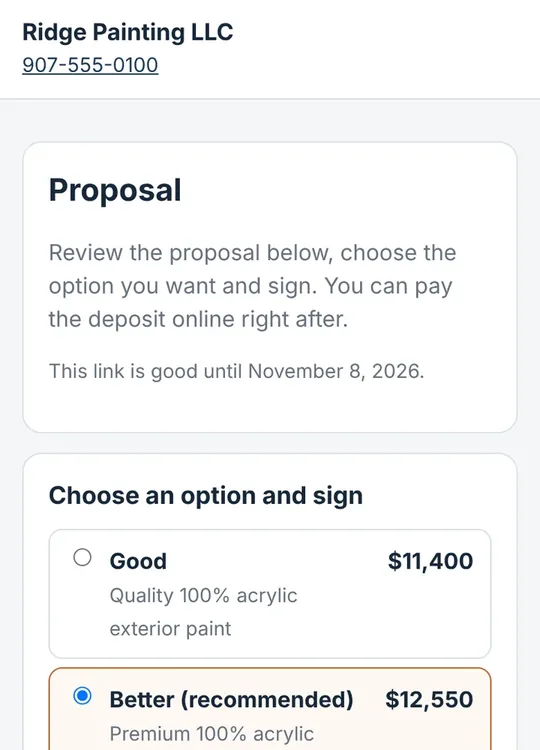
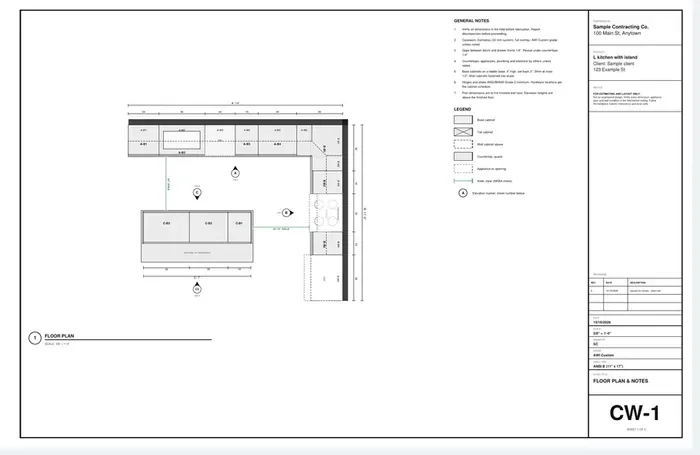
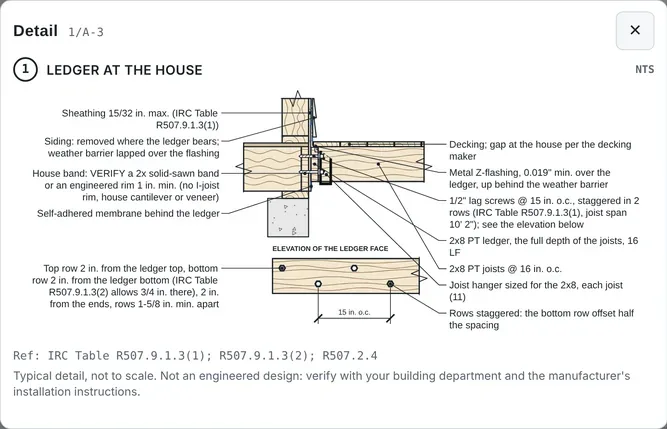
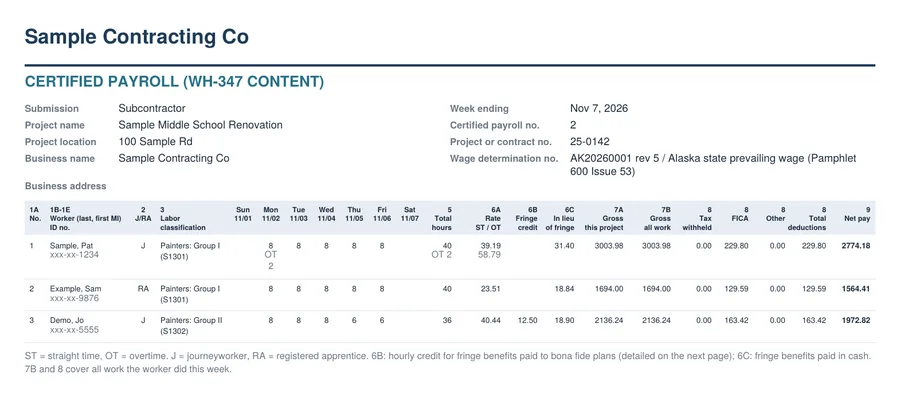
Sample jobs shown.
Try it free for 14 days
No card for the trial. After that, pick monthly or pay once.
Residential
$49.99 a month
or $599 once
20 of the 22 trades, 14 of the 17 designers, proposals customers sign and pay by text, invoices and job costing.
Commercial
$99 a month
or $1,799 once
All 22 trades and all 17 designers: everything in Residential, plus the Glazing and Division 10 trades, the Glazing, Low-Slope Roofing and Division 10 Designers, submittal sets, and commercial wages.
Questions
How does the free trial work?
Open BidRidge and use it for 14 days, no card needed. Estimating, proposals, sending and e-signing all work in the trial; online payments, syncing across devices and QuickBooks sync start when you buy a license. When the trial ends, your jobs stay on your device and you can still open them; new estimates and PDFs need a license.
Do I have to enter my own numbers?
Yes, and you should. BidRidge loads regional starting rates for your state and city so you're in the right range on day one, but your wages, crew speed, material costs and margin decide whether a job makes money. Set them during your trial and check them against jobs you've already done. Every estimate is a guide that you review before you send it.
How do customers sign and pay?
Tap Send on the proposal (or a change order, walk-through form or invoice) and BidRidge opens your phone's Messages with the link filled in. The customer opens it on any phone or computer, with no app or account, picks Good, Better or Best, signs with a finger and can pay the deposit right away. On the job, Pay now shows a code they scan to pay from their own phone. The job marks itself Sold, the deposit invoice marks itself paid, and you both get a signed PDF.
Does it work without signal?
Yes. Once it's installed on your phone it works offline. You need signal to send a proposal or invoice.